
About Bold Font Generator
Bold Text Generator is an advanced typographical tool that utilizes the power of Unicode to convert your standard text into heavy, emphasized bold characters. Unlike traditional HTML <b> tags or CSS <font-weight> properties which simply tell a web browser to render a standard font thicker, our tool mathematically replaces your input characters with entirely different Unicode symbols that are inherently bold. This means you can make text bold in places where standard formatting options are completely blocked or unavailable.
While these styles are often referred to as "fonts," they are technically Mathematical Alphanumeric Symbols. Originally added to the Unicode standard to allow mathematicians and scientists to denote complex variables in equations, creative internet users have repurposed them to bypass text formatting restrictions on modern social media platforms. Because they are universal symbols, you can simply copy and paste them into any text field that accepts standard text!
Where can you use Bold Text?
As bold text is just Unicode symbols, you can copy-paste it in many places. It's especially useful for highlighting important words, numbers, or short phrases.
For example, you could promote an offer on your page like:
“Enjoy flat 𝟕𝟎% 𝐨𝐟𝐟 for a week!”
However, keep in mind that fancy text styles may not work well for screen reader users, so it's best to avoid them in accessibility-focused content.
Online Text Formatting
You can use bold letters on platforms that do not have built-in formatting options, including many social media platforms, chat apps, and forums. This includes some very popular platforms such as Twitter, Instagram, Threads, and more.
You can also format text in italic using our italic text generator.
Bold text on Facebook
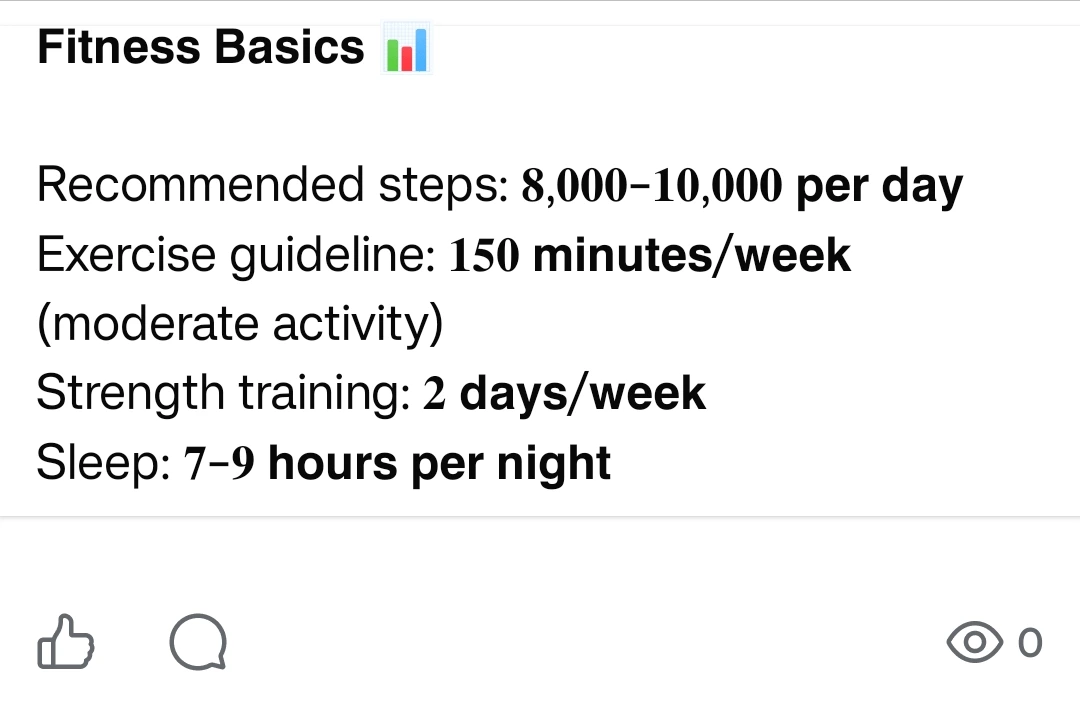
On Facebook, bold text can be useful for highlighting important points. You can use it to emphasize sentences, numbers, or make a long post easier to go through.
Bold text on LinkedIn
When writing a lengthy post on LinkedIn, you may want to bold certain words for emphasis. To achieve this, you can format your text using bold styles.
Use built-in formatting when available
Some platforms already support bold text, for instance:
WhatsApp → use *text*
Reddit → use **text**
In these cases, it's better to use built-in formatting because it's more accessible and works better across devices.
Bold Font Styles
This tool has a variety of font styles. They come from Unicode's mathematical symbols, originally used in scientific and mathematical notation. Now they are also used as a way to make text look bold.
| 𝐁𝐨𝐥𝐝 | Simple bold text useful for highlighting key points, or numbers. |
| 𝑰𝒕𝒂𝒍𝒊𝒄 𝑩𝒐𝒍𝒅 | Italicized version, a bit more expressive than regular bold. |
| 𝗦𝗮𝗻𝘀-𝗦𝗲𝗿𝗶𝗳 𝗕𝗼𝗹𝗱 | Easy to read style, useful when you want emphasis but still keep it clean. |
| 𝙎𝙖𝙣𝙨-𝙎𝙚𝙧𝙞𝙛 𝘽𝙤𝙡𝙙 𝙄𝙩𝙖𝙡𝙞𝙘 | Adds italic effect to the neat style, useful for highlighting updates. |
| 𝓑𝓸𝓵𝓭 𝓒𝓾𝓻𝓼𝓲𝓿𝓮 | Fancy bold text for when you want to make text look aesthetic. |
| 𝕺𝖑𝖉 𝕰𝖓𝖌𝖑𝖎𝖘𝖍 𝕭𝖔𝖑𝖉 | Bold text written in Old English style. |