
About Fancy Numbers Generator
Number Font Generator is an advanced digital typography tool that allows you to convert standard numerical digits (0-9) into highly stylized, aesthetic Unicode characters. While most standard text generators focus purely on alphabetical letters, formatting numbers is equally important for creating cohesive, eye-catching content. Whether you're listing top 10 rankings, sharing statistical data on Twitter, or making your phone number stand out in an Instagram bio, this tool provides a seamless way to copy and paste number styles that bypass platform formatting restrictions.
Creating fancy numbers is incredibly simple, yet technically sophisticated under the hood. Our tool maps your standard digits to obscure, specialized subsets of the Unicode standard, such as Enclosed Alphanumerics (for circled numbers) or Mathematical Double-Struck characters (for bold, hollow numbers). Within milliseconds, your basic digits are translated into over 150 aesthetic variations. For instance, you can effortlessly emphasize a promotional discount on Facebook by transforming "60%" into "𝟔𝟎% 𝐎𝐟𝐟!"—ensuring it grabs your audience's attention instantly.
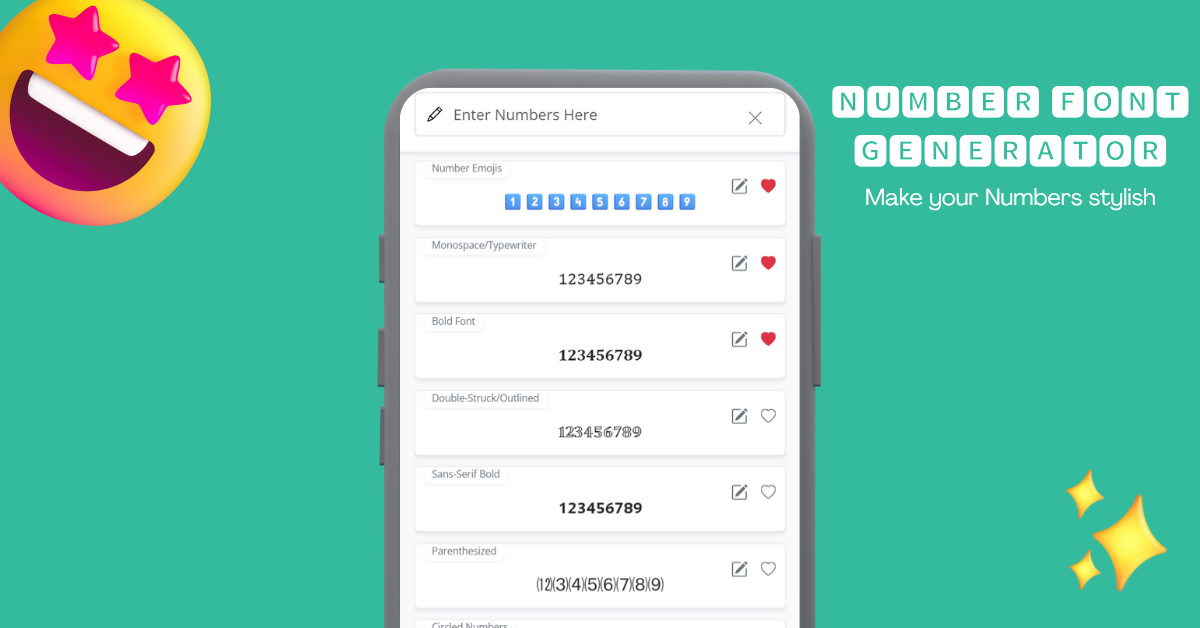
The generator features a meticulously organized library of numerical styles. You can generate bold, italic, subscript, superscript, circled (①), double-circled, and even highly decorative styles like gothic or bubble (❶) numbers. Furthermore, if you want even more granularity, you can combine these numbers with our advanced text decorators to add unique borders, strikethroughs, and symbolic flourishes. All generated characters are standard text, meaning no images or custom font files are required to use them!
How to Copy and Paste Cool Numbers?
Using this stylish number converter is very simple. Just enter the numbers, and the tool will handle the rest. In no time, you'll be able to see your numbers in various styles.
Here's how to use it:
- 1Enter Numbers
Start by entering the number you want to convert and see how it looks in different styles.
- 2Choose a Style
Scroll through the different categories to find the number font you like.
- 3Copy it
Once you find a style you like, simply click on it to copy it. You can also tap the heart icon to save it as a favorite.